
How to Create Editable Canva Templates and Instagram Post Designs for an Attractive Feed
How to Create Editable Canva Templates and Instagram Post Designs for an Attractive Feed
In today’s digital world, your Instagram feed is like your brand’s storefront. When someone visits your profile, they decide within seconds whether to follow you or move on. A clean, attractive, and consistent feed builds trust, shows professionalism, and makes your brand instantly recognizable. The good news? You don’t need to be a professional designer to make it happen. With Canva, you can create editable templates and stunning Instagram post designs that keep your feed looking beautiful and cohesive.
This guide will walk you through how to design eye-catching Canva templates and create an Instagram feed that stands out.
1. Understand Your Brand Style First
Before opening Canva, take time to define your brand style. This helps your Instagram feed look consistent instead of random. Think about your brand personality. Is it modern, playful, elegant, bold, or minimal?
Decide on:
- Your main brand colors (2–4 colors work best)
- Font styles (one heading font and one body font)
- The overall mood (bright, soft, dark, neutral, etc.)
When your templates follow the same style, your Instagram grid will look organized and professional.

2. Choose the Right Instagram Post Size
For best results, design using the correct Instagram dimensions. In Canva, select “Instagram Post (Square)” which is 1080 x 1080 pixels. You can also create portrait posts (1080 x 1350) to take up more screen space and get higher engagement.
Keeping your post sizes consistent helps your feed look balanced and clean.
3. Create Template Types for Different Content
Instead of designing each post from scratch, create editable templates for different types of content. This saves time and keeps your feed visually consistent.
You can design templates for:
- Quotes or motivational posts
- Tips and educational content
- Promotions or sales
- Testimonials or reviews
- Announcements or launches
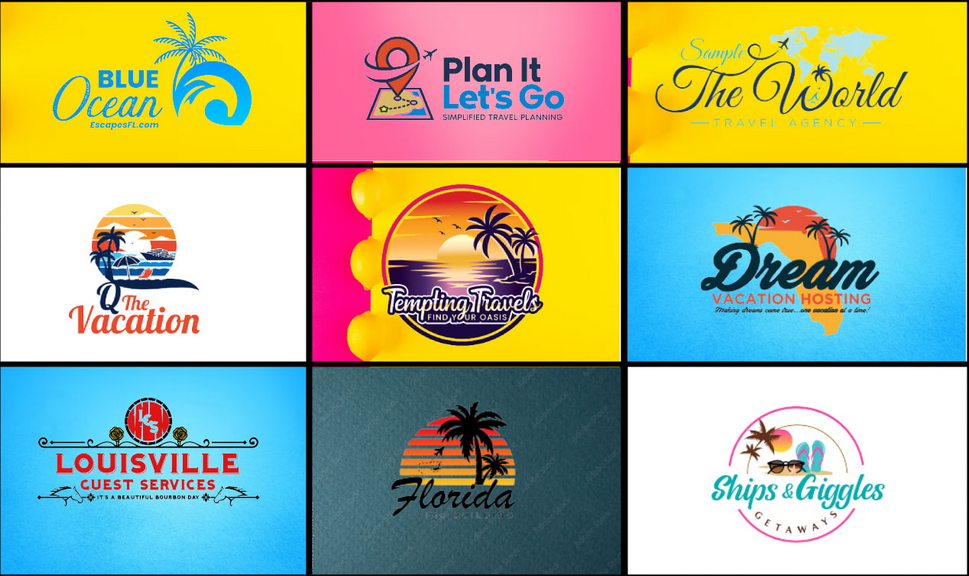
Each template should have the same color palette and font style, but different layouts to keep your feed interesting.
4. Use Grids and Alignment for a Clean Look
One secret to a professional Instagram feed is alignment. Canva has built-in grids, rulers, and guides to help you space elements evenly. Keep text centered or aligned consistently, and avoid placing elements too close to the edges.
White space (empty space) is also important. Don’t overcrowd your design. Clean, spaced-out layouts look more modern and easier to read.
5. Pick Fonts That Are Easy to Read
Stylish fonts look nice, but readability is more important. If people can’t read your text quickly, they will scroll past.
- Use bold fonts for headlines
- Use simple fonts for smaller text
- Avoid using more than 2–3 fonts in one design
Consistency in fonts across all templates helps create a strong visual identity.
6. Stick to a Consistent Color Palette
Color consistency makes your feed instantly recognizable. Choose 2–4 main brand colors and use them in every template. You can alternate background and text colors to add variety while still keeping everything cohesive.
Soft neutrals give a calm, elegant feel, while bold colors create energy and excitement. Choose what matches your brand message.
7. Add Visual Elements That Match Your Brand
Canva offers icons, shapes, illustrations, and photos. Pick visual elements that match your brand style. For example:
- Minimal brands can use simple lines and shapes
- Fun brands can use playful icons or stickers
- Luxury brands can use gold accents or elegant frames
Using the same style of elements across posts creates a signature look.
8. Design with the Instagram Grid in Mind
Your posts don’t just appear individually — they appear as a grid on your profile. Try to plan how posts look next to each other. You can alternate between light and dark backgrounds or rotate between template styles to keep your grid visually balanced.
Some brands use a pattern like quote → tip → photo → promo, which keeps the feed dynamic but organized.

9. Make Your Canva Templates Editable
After creating a design, turn it into a reusable template. In Canva, simply duplicate your design pages and keep a master copy. Change text, images, or colors when needed, but keep the layout the same.
If you’re sharing templates with clients or team members, use Canva’s “Share Template Link” feature so they can edit without changing your original design.
10. Use High-Quality Images and Graphics
Blurry or low-quality images can ruin even the best design. Use high-resolution photos and clean graphics. Canva’s built-in photo library is a great place to find professional visuals.
Make sure your images match your brand tone. Bright and airy photos feel friendly, while dark and dramatic images feel bold and premium.
11. Keep Text Short and Impactful
Instagram users scroll quickly, so your message should be clear in seconds. Use short phrases, bold headlines, and strong keywords. Break text into lines to make it easier to read.
For example, instead of writing a long sentence, try:
- “3 Tips to Grow Your Business”
- “New Product Launch”
- “Save This Post”
12. Test Your Designs Before Posting
Before uploading, preview your posts together. Canva allows you to see multiple designs at once. You can also use Instagram preview apps to check how your grid will look. Make adjustments if something looks too crowded or out of place.

Final Thoughts
Creating editable Canva templates and attractive Instagram post designs is one of the smartest ways to build a strong and consistent online presence. With the right colors, fonts, layouts, and planning, you can transform your feed into a visually appealing brand showcase.
The key is consistency, simplicity, and creativity. Once your templates are ready, content creation becomes faster, easier, and more professional. A beautiful Instagram feed not only attracts followers — it builds trust and helps your brand stand out in a crowded digital world.


Leave a Comment